1. Start out with a 500x500 image.
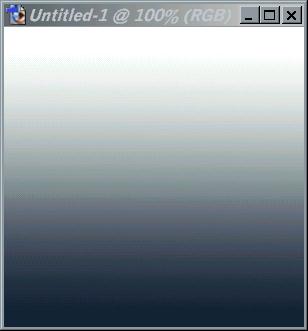
2. Use gradiant tool with black and white as your colors.
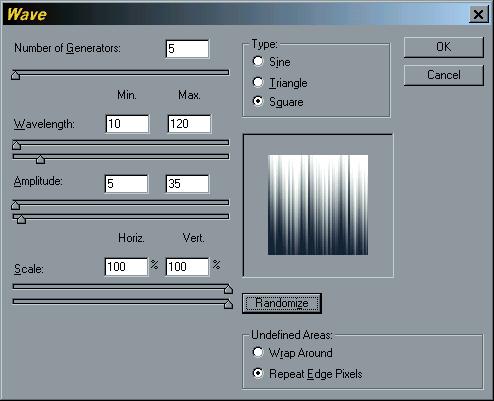
3. Now go to Filters>Distort>Wave and use the following settings...
4. Now choose your desired colors (I recommend icy light blues) by going to Image>Adjustments>
Hue/Saturation then go to Filter>Distort>Polar Coordinates.
5. Now go to Filter>Distort>Twirl and set it to about 75 or around there.
- Now go to Edit>Fade Twirl and set it to 50 or so.
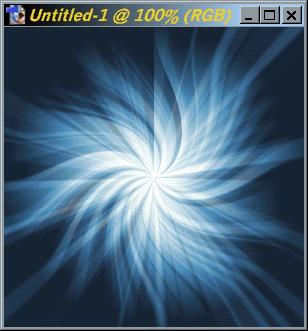
- Your halfway done! LoL! Your image should look like this...
- Now, create a new layer, and repeat steps 2 and 3.
5. Now choose a color somewhat similar to the last one you chose, and go to Filter>Distort>
Polar Coordinates, then Filter>Distort>Twirl and set it to -75 or so.
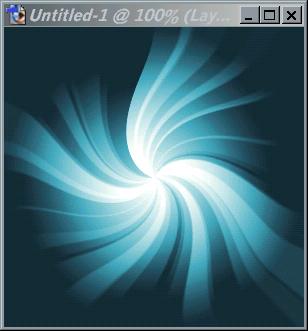
6. Now soften any rough edges that you find using the smudge tool, then set the layer to
'Difference' in the Layers box on the bottom right side. Now your image should look like this!
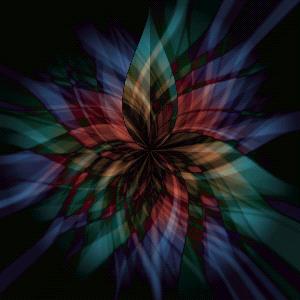
Yay! Your done! If you have any questions or whatever, e-mail moi at CutieFairy@hotmail.com