
Okay, I did not want to take the time to draw a gun cuz quite frankly, I'm not very good at it. I usually don't draw them unless I absolutetly have to so I have copied this gun from a Hellsing Manga book. The lineart doesnt matter at all in this tutorial anyway, this same coloring technique can be applied to any shiny metal object. Enjoy!
This tut requires Photoshop 7 or CS and assumes that you already know the basics of the program. ^^;
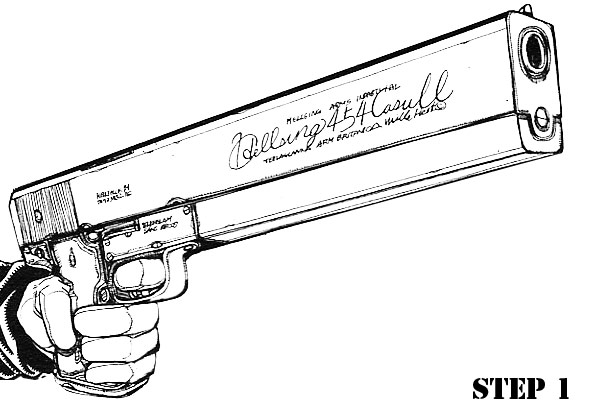
STEP1:So you got your linart. Set that layer to multiply and make new layer underneath it. This new layer is going to be your coloring layer.
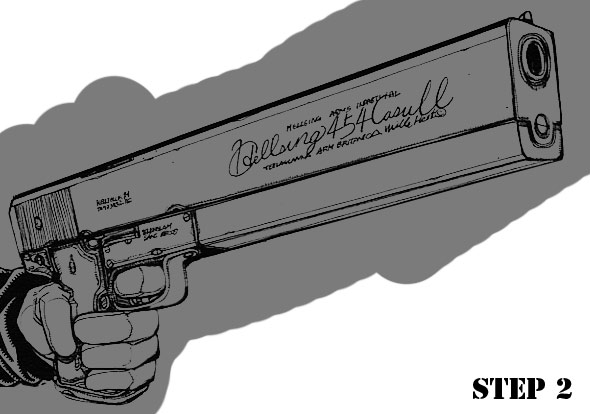
STEP2:Lay down the general color of your gun. Don't worry about staying in the lines right now since it will make the whole task much much easier.
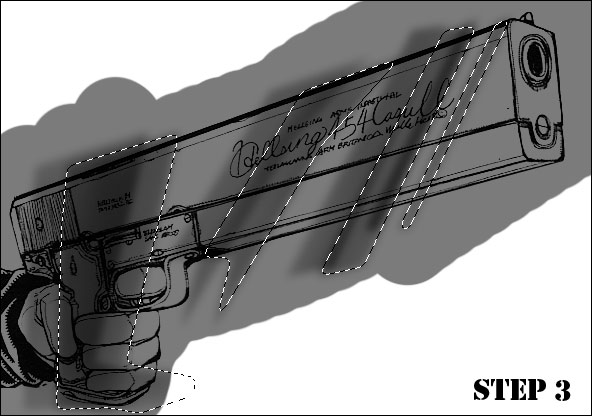
STEP3:Select parts of your object like above. FEather your selection about 4 pixels to taste. Use your Burn tool set at 25% opacity and burn the selected areas. Then, move the selected areas over a bit and repeat the process, overlapping the selected areas.
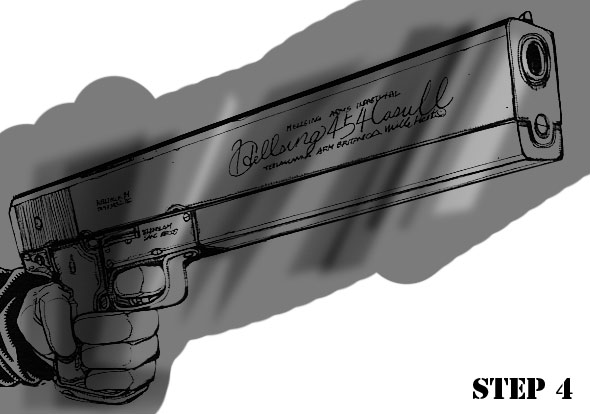
STEP4:Now, select a few areas again, feather 4 pixels and Dodge those areas with the Dodge opacity set to 50%
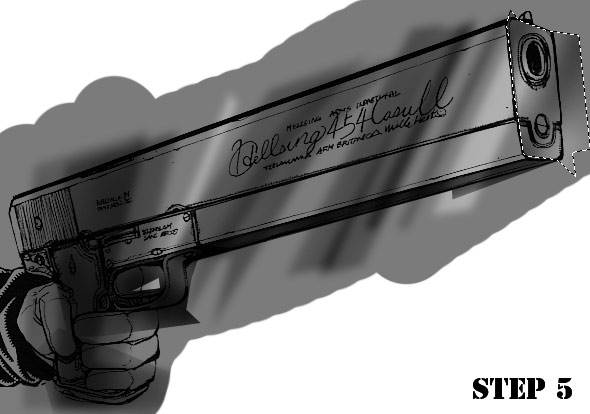
STEP5:Select the areas you feel should be shadowed or highlighted (this goes mainly for guns but works on other machinery as well) and do the same thing you did to the main part of the gun. This makes it more 3-dimensional.
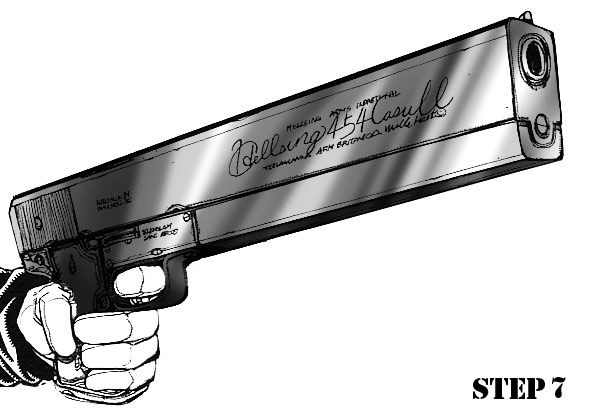
STEP6:You can either leave it as it is in step 6 or play with your curves a little bit. You can get very nice metalic shine effects with curves but the results can vary. You may find that you like it without adjusting the curves. Now you can get rid of all the unneeded coloring.
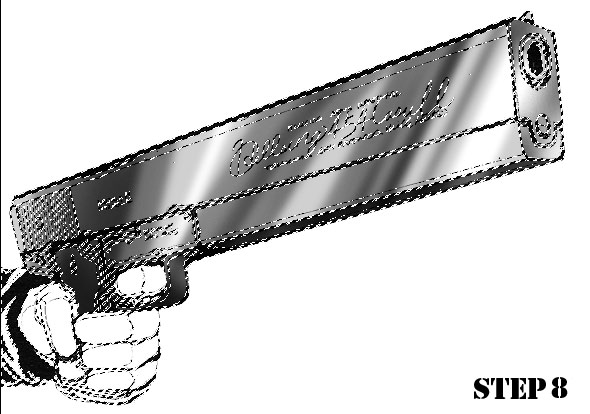
STEP8:Create a mask out of the lineart layer.
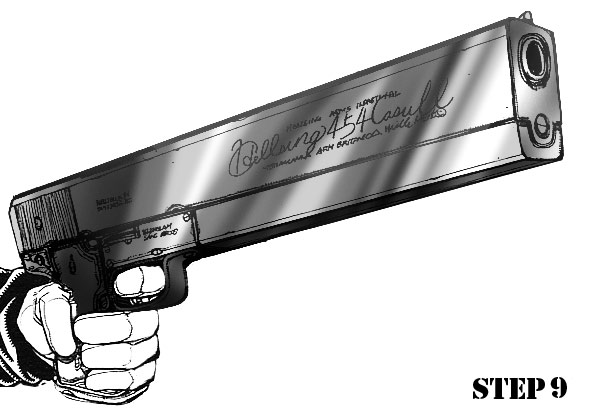
STEP9:Color your lines with the aid of the mask. This softens the metal and gives it more of a realistic edge.
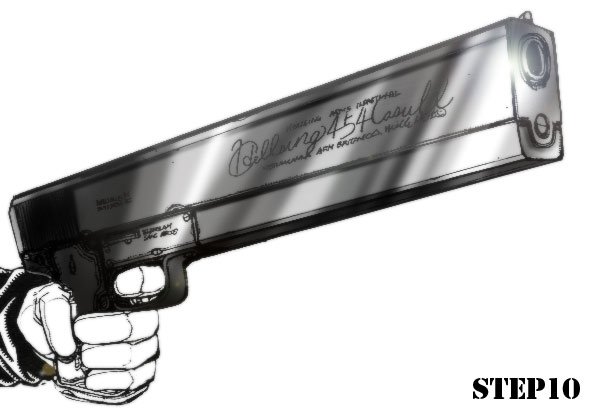
STEP10:All you need to do now is put some finishing touches and you'r done! Here I have blurred it a bit with the blur tool and then added a lensflare and a tad bit more shading.
If you have any questions/comments please visit my DA page and note me there. Please do not redistribute this tutorial without my permission. I would love to see what you do with it! Just send me a note!